Cronyx
BLACK WEEK 50% off everything until Monday 30 November · – See pricing
CRONYX Download
Version 0.19 · Windows 10 and 11 · Black Week −50%

More FPS.
Fewer spikes.

Cronyx tunes Windows for gaming, measures your real FPS, finds what causes your lag spikes and shows your own before and after. Every change can be undone with one click.

3 days free on Monthly and Yearly · Ban-safe: Cronyx never touches game files or game memory.

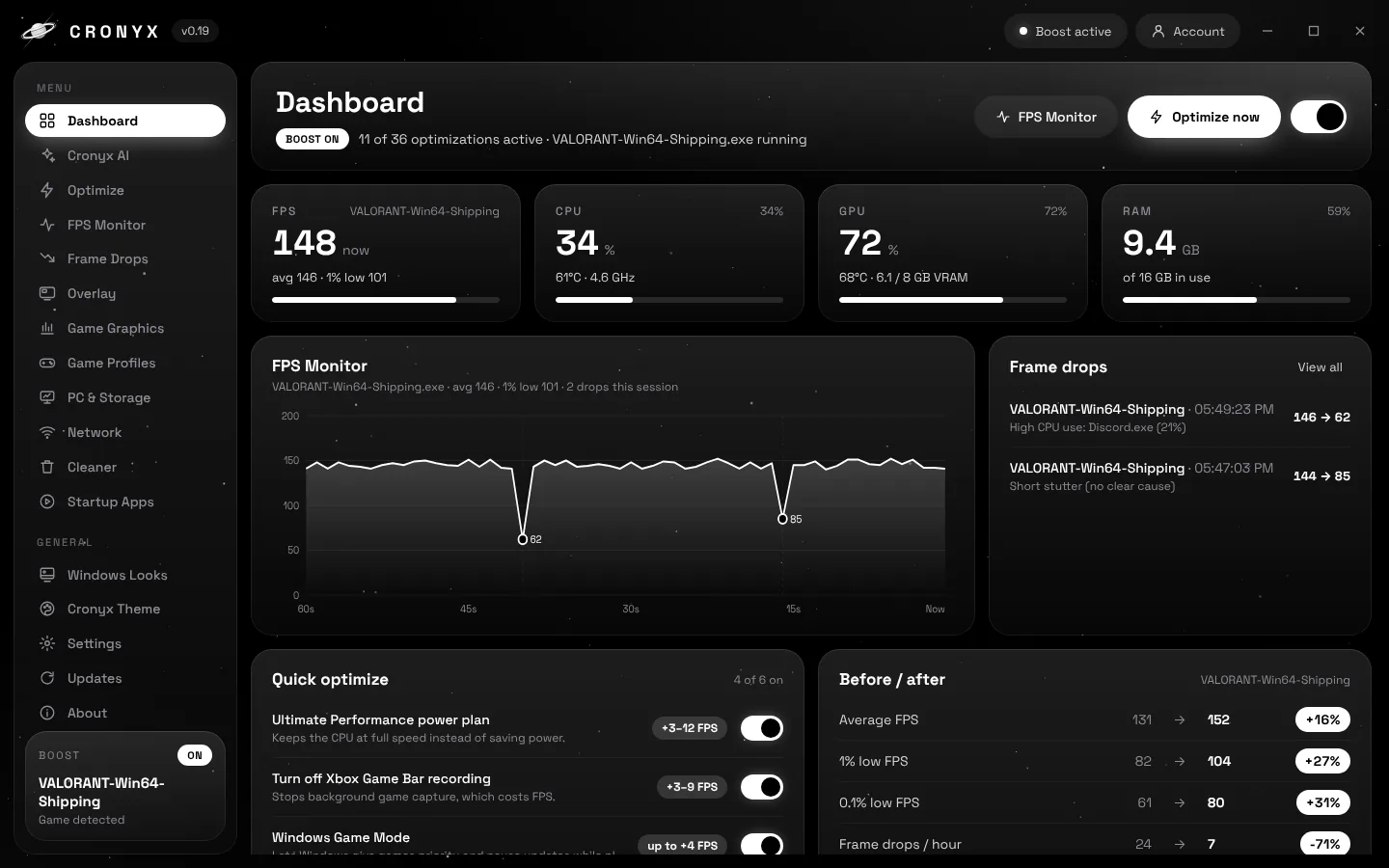
The Cronyx dashboard with live FPS, CPU, GPU and RAM, an FPS graph with frame drops marked, quick optimize switches and a before and after comparison
47Windows tweaks for games, smoothness, input and network
1 clickto undo every change Cronyx made
4overlay styles, including a frametime heartbeat
10game guides for in-game settings
How it works

Measure, boost, compare.

Step 1

Play once with Cronyx open

Cronyx measures your real FPS, 1% lows and every frame drop in the background.

Step 2

Turn on Boost

Pick Max FPS, Smooth PC or Balanced, or choose each tweak yourself.

Step 3

See your own result

Play again. Before / after shows what changed on your PC, measured, not promised.

Optimize

47 tweaks. Three presets.

Every setting shows what it does and an FPS estimate based on your own FPS. Turn them on one by one or use a preset.

  • Games & FPS: Ultimate Performance power plan, Game Bar off, fullscreen optimizations, CPU and GPU priority.
  • Smooth PC: instant menus, faster start-up and shut-down, no ads or Widgets in the background.
  • Input and network: raw mouse input, bigger input buffer, Nagle and network throttling off.
  • Restore all puts back every Windows setting Cronyx changed.
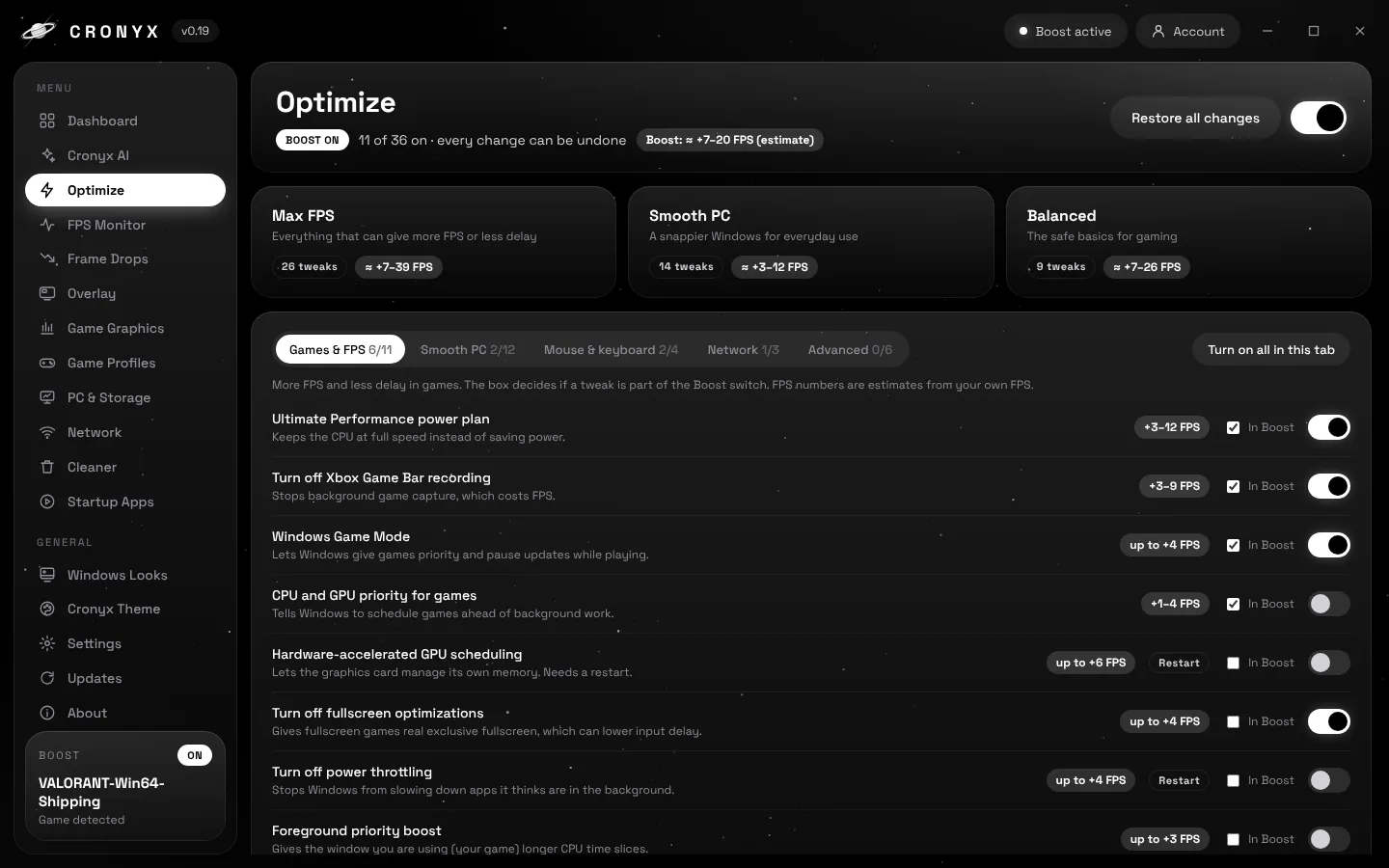
The Optimize page with Max FPS, Smooth PC and Balanced presets and a list of tweaks with FPS estimates
FPS Monitor and Frame Drops

Find the spike, and the reason.

Cronyx records every drop with the time, the FPS before and after, and the most likely cause, like a browser, Discord or Windows Update working in the background.

  • Real frame data from Intel PresentMon, not a guess.
  • 1% and 0.1% lows for every session, so you see smoothness and not only the average.
  • Light on your PC: Cronyx drops to low priority and stops redrawing while you play.
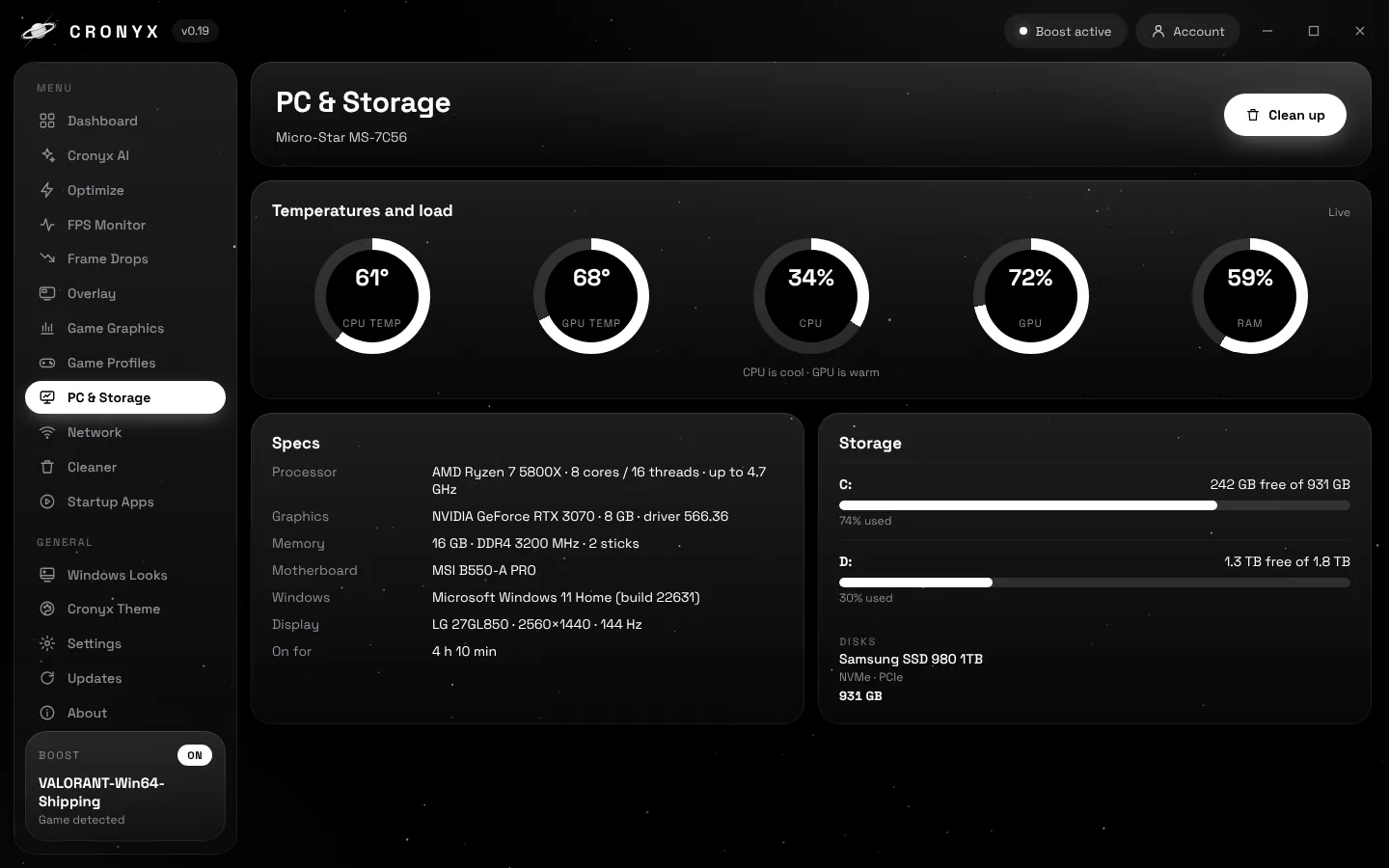
The PC and Storage page with live CPU and GPU temperature, load rings, specs and free space per drive
In-game overlay

Your FPS, ping and temps, on top of the game.

Pick a style and a corner. In Cronyx you turn it on and off in game with Ctrl+Shift+O.

Style
Corner
Look

Demo numbers. In Cronyx the overlay shows your real values.

Game Graphics

Settings per game, without touching the game.

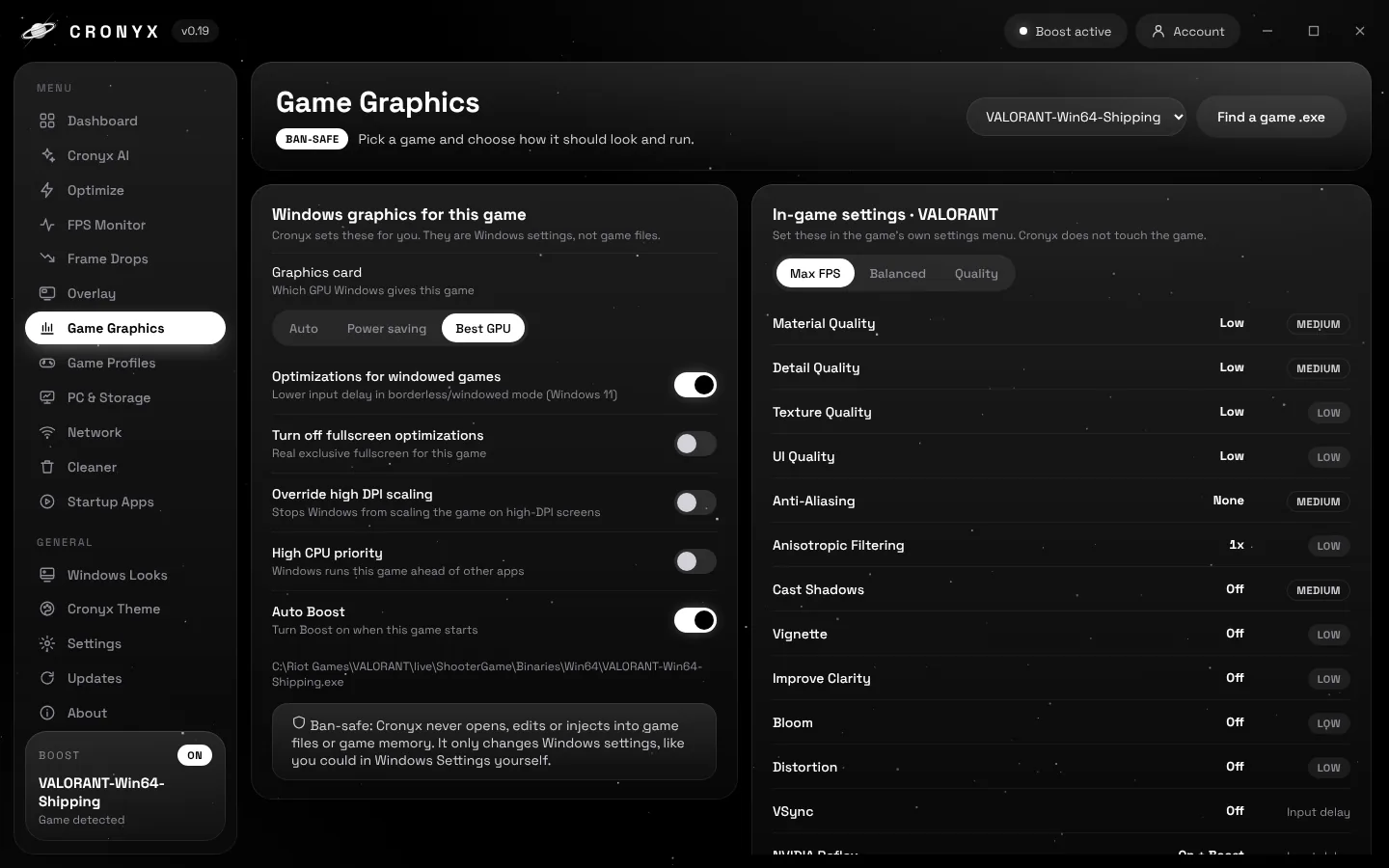
Pick a game and Cronyx sets the Windows side for it: best graphics card, windowed game optimizations, fullscreen optimizations and DPI scaling.

  • In-game guides for Fortnite, VALORANT, CS2, Apex, Call of Duty, Minecraft, GTA V, Rust, Rocket League and Roblox.
  • Max FPS, Balanced or Quality, with how much FPS each setting costs.
  • Auto Boost and high CPU priority when the game starts.
Ban-safeNo game filesNo injection
The Game Graphics page with Windows settings for VALORANT and an in-game settings guide
Cronyx AI

Ask why it lags. It looks for you.

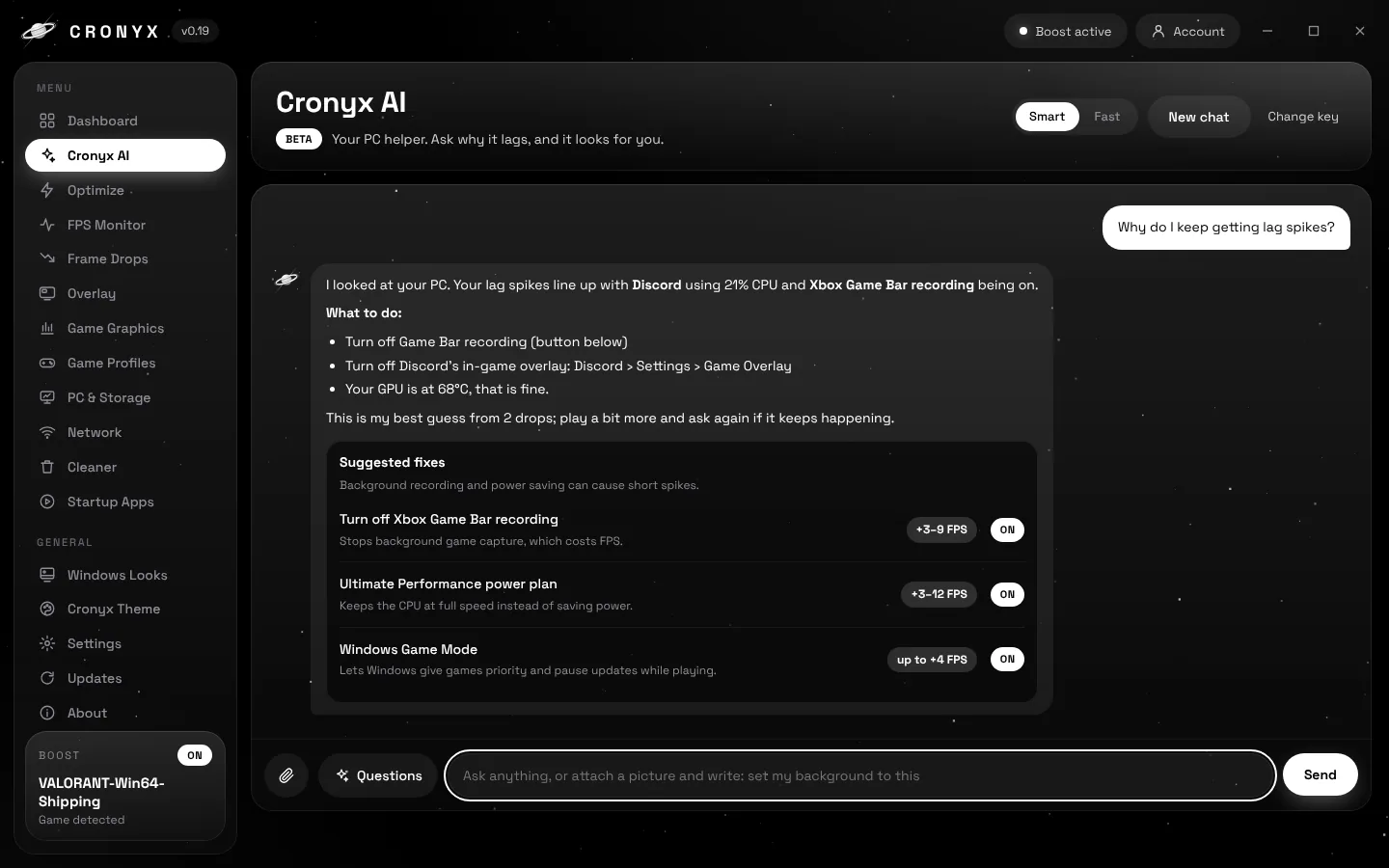
Cronyx AI reads your PC before it answers: load, temperatures, frame drops, background apps, free space and ping. Then it explains the cause and gives you Apply buttons for the fix.

  • Free to use with a free Google AI key.
  • Send a picture and say "set my background to this".
  • Understands you even with typos, slang or mixed languages.
Cronyx AI answering why the user gets lag spikes, with suggested fixes and Apply buttons
Themes and Windows Looks

Make it yours.

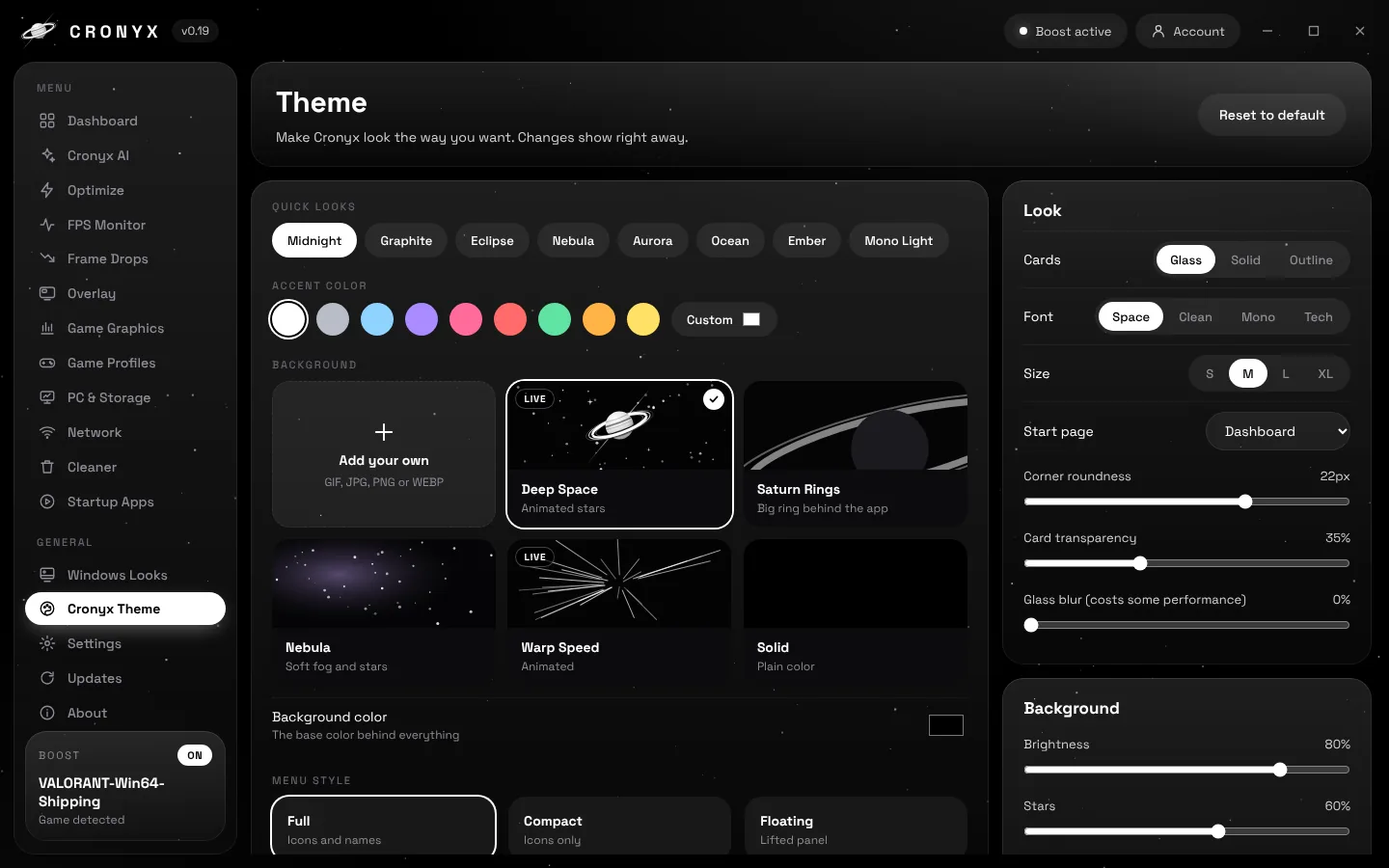
Eight quick looks, animated backgrounds, your own picture or GIF, accent colors, fonts and menu styles. Windows Looks gives you dark mode, a cleaner taskbar and the classic right-click menu.

  • Backgrounds: Deep Space, Saturn Rings, Nebula, Warp Speed or your own.
  • Animations stop by themselves while you play, to save FPS.
The Cronyx Theme page with quick looks, accent colors, backgrounds and menu styles
FPS Estimate

How much faster will your PC get?

Pick your PC and your game. You get an estimate based on what each Cronyx tweak typically does on a PC like yours.

Estimated FPS boost

+0%

Smoothness (1% lows)–
Lag spikes–

Biggest wins on your PC

    Try it free for 3 days

    This is an estimate from typical results, not a promise. Every PC is different. Cronyx measures your real FPS before and after, so you see your own result. All changes can be undone with one click.

    Download

    Get Cronyx in three steps.

    1. Log in with Google, Discord or email.
    2. Start your 3-day free trial, or get Lifetime.
    3. Download and install. Your plan lives in your account.

    or with email

    We email you a one-time login link. No password needed.

    Pricing

    One app. Every feature.

    Black Week: everything is 50% off.
    Ends Monday 30 November at midnight (Danish time).
    –
    −50%

    Monthly

    $5 / month$2.50/ month

    3 days free, then $2.50 a month. Cancel any time.

    • All 47 tweaks and presets
    • FPS Monitor, overlay and Frame Drops
    • Game Graphics and Cronyx AI
    • Themes and every update
    −50%

    Yearly

    $4.17 / month$2.08/ month

    3 days free, then $25 billed once a year. Save 17%.

    • Everything in Monthly
    • Two months free compared with monthly
    • Every update for the year
    Best value −50%

    Lifetime

    $13.99 once$6.99once

    Pay once, keep it forever. No trial needed.

    • Everything in Monthly
    • Every future update
    • No subscription

    Prices in USD. The free trial lasts 3 days; if you don't cancel before it ends, your plan starts and you are charged. Requires Windows 10 or 11, 64-bit. Black Week prices apply to orders placed before the offer ends.

    Security

    Built to be ban-safe.

    Cronyx only changes Windows' own settings, the same ones you could change yourself in Windows. It never goes near your games.

    No game files

    Cronyx never opens, edits or replaces anything in a game's folder.

    No injection

    No code is ever put into a game, and game memory is never read.

    Undo everything

    Every original value is saved before a change. Restore all puts it back.

    Overlay is a window

    The overlay is its own window on top of the game, not a hook inside it.

    Your data stays local

    Settings, sessions and stats are stored on your own PC.

    You decide

    Cronyx AI suggests fixes. Nothing changes in Windows until you press Apply.

    About the Windows warning: Windows may show "Windows protected your PC" the first time, because Cronyx is new. Click More info, then Run anyway.

    Specifications

    What you need

    Windows
    Windows 10 or 11, 64-bit
    Permissions
    Administrator, asked once
    Graphics
    Any GPU. GPU temperature needs NVIDIA.
    FPS measuring
    Intel PresentMon, included
    Updates
    Automatic, never while you play
    Cronyx AI
    Free Google AI key
    What's new

    Recent updates

    v0.19Send pictures to Cronyx AI and set them as your background or wallpaper.
    v0.18Common questions in Cronyx AI.
    v0.15Cronyx AI switches to another free model when one is busy.
    v0.10Cronyx AI: ask why your PC lags, and it finds the fix.
    v0.947 tweaks, presets and the new Windows Looks page.
    v0.8Overlay with the Cronyx logo instead of a box.
    v0.6Safer automatic updates that fall back if anything fails.
    FAQ

    Questions

    Can Cronyx get me banned?

    No. Cronyx only changes Windows settings. It never touches game files, never injects into a game and never reads game memory. The overlay is a separate window.

    How does the free trial work?

    Monthly and Yearly start with 3 days free. You get every feature right away. If you cancel within the 3 days, you pay nothing. If you keep it, your plan starts after the 3 days and you are charged. Lifetime has no trial, since you pay once.

    How much more FPS will I get?

    It depends on your PC. The biggest gains come on PCs that were in power-saving mode or had a lot running in the background. Cronyx shows an estimate for every tweak and measures your real before and after, so you see exactly what you got.

    Can I undo everything?

    Yes. Cronyx saves the original value before every change. Restore all changes, in Optimize or Settings, puts everything back.

    Does Cronyx slow down my games?

    Cronyx runs at low priority while you play, stops its own animations and only redraws when you look at it. FPS measuring only watches your game once it is found.

    Why does it ask for administrator?

    Measuring FPS and several Windows tweaks need it. Cronyx asks once and then starts without the prompt.

    Is Cronyx AI free?

    Yes. You make a free key with your Google account and paste it in once. No credit card.

    Which games does it work with?

    FPS measuring, the overlay and the tweaks work with all PC games. Game Graphics has detailed guides for ten popular games and a general guide for the rest.

    Ready for smoother games?

    Black Week: Lifetime is $6.99 once instead of $13.99, with every update included. Ends Monday 30 November.

    Download Cronyx